Category Archives: Retro Computing

Retrochallenge – A bit of a plan.

In my first post of this season’s Retrochallenge I did a bit of experimenting around memory-mapped screen access on the Sharp MZ-700. I’ve decided to try and come up with something a bit like “Atic Atac” a splendid top-view runing about game for the spectrum.

The Sharp doesn’t have dot-addressable graphics like the Spectrum so everything is character based. So it’s going to be different but we’re working with the tools we have.

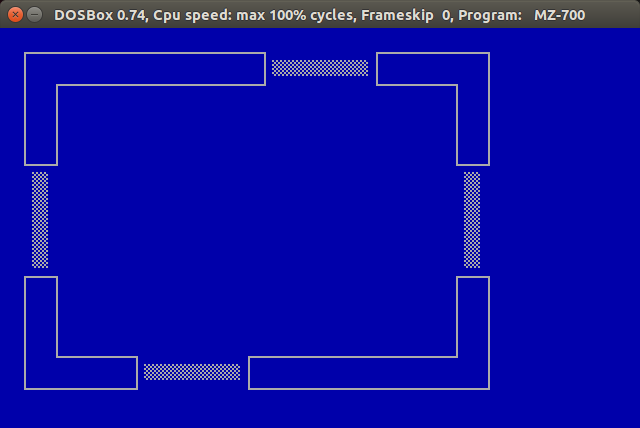
So far I have written some code to draw rooms using tiles and so far, I’ve got one room…

Screenshot from 2015-07-12 16:17:00Now I’ve got code to draw rooms and a pallet of tiles, I can build a dungeon.

Welcome to…

Cellar Scramble

Mwaa Ha Harrr.

Retrochallenge 2015 – Here we go.

We’re four days into retro challenge and I’ve finally got started.

My plan is to do “something programmy” on a Sharp MZ-700. I’ve set up my stall and now for the programming. I’ve not used C on a Z80 before nor anything beyond “Hello World” on an MZ-700 so I need to find out some basics.

First I’m going to output a character grid using memory mapping (rather than standard output – printf) because I get further, memory mapped screen access will be needed.

I’m using Z88DK to write in and MZ-700 emulator under DOSBOX to test. I’ll try it on a real MZ-700 before I’ve finished.

First, some code…

/*
 * charmap.c
 *
 * A simple memory mapped display of the character and colour map on
 *  the Sharp MZ-700.
 *
 * Andy Collins. July 4th 2015.
 *
 */

#include <stdio.h>
#include <stdint.h>
#include <string.h>

void main(void)
{
  u8_t  *screenRam = 0xD000;         // Start of screen memory. Top left.
  u8_t  *colourRam = 0xD800;         // Start of colour attribute memory. Top left.
  u8_t  xLoop = 0;
  u8_t  yLoop = 0;
  u8_t  currentChar = 0;
  const u8_t myChar = 0x41;

// Output a square with the complete character set.
  screenRam += 4 * 40 + 4;         // Move top left in a bit
  for(xLoop = 0; xLoop < 16; xLoop++)
  {
    for(yLoop = 0; yLoop < 16; yLoop++)
    {
      *screenRam++ = currentChar++;
    }
    
    screenRam += 24;
  }
    
// Now a square of the colour combinations
  screenRam = 0xD000 + 4 * 40 + 20;  // Start of colour square in screen RAM
  colourRam += 4 * 40 + 20;         // Move top left in a bit
  for(xLoop = 0; xLoop < 16; xLoop++)
  {
    for(yLoop = 0; yLoop < 16; yLoop++)
    {
      *colourRam++ = currentChar++;
      *screenRam++ = myChar;
    }
    
    colourRam += 24;
    screenRam += 24;
  }
    
  while(1)
  {
  }
}

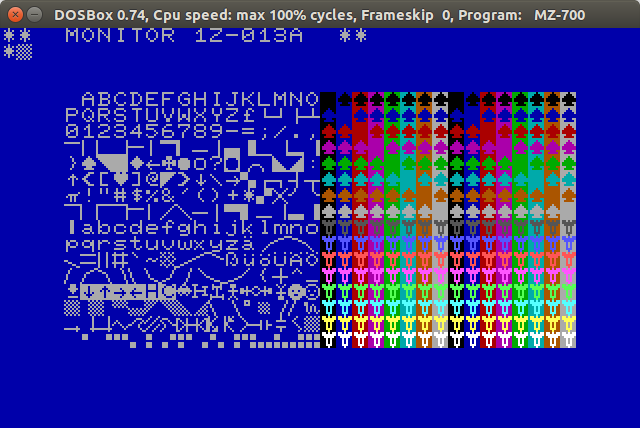
And a screenshot…

Screenshot from 2015-07-04 11:44:43Tadaa :-).


There’s someone out there.

Hi recently received a very interesting  message as a comment to one of the other pages on the website. It seems that there is another person out there who’s seen one of these fascinating machines.

William Corcoran used one a few years ago and kindly posted this information.

Hello,  I would like to comment on the Motorola S2000.  

I have been searching for years for this machine.  I can’t believe I found someone who has one.  It means so much to me.  

I would love to share with you what I know.  This little box was the DPU (data processing unit).  It connected to other similar boxes that contained hard disk drives (50 MB) and tapes (WANGTEK).

This is the first box that I learned UNIX on.  

Way back in 1986 when this box was hot, the disks would click so loudly as the heads moved.  I have so many stories to share about this box.

However, I will tell you that this little thing was years ahead of its time.  Unix was nearly virtualized!   You see, the main OS was an executive call ISOS.  And, little UNIX actually ran as a process under ISOS.  It was the coolest thing.  

Yes, it was initially AT&amp;T System III and then System V.  

The box had some really cool diagnostic software.  The company I worked for at the time (1986) used this box as their main system for word processing.  We used Motorola Codex terminals.  

Well, this is the box I cut my teeth on with UNIX.   When you signed on to ISOS, you could do a “ps” equivalent and you would actually see UNIX running as a process.  At night when everyone went home, I would spend hours learning UNIX.  Also, I normally would create a stand alone backup of the hard disks.  Then, by the end of the night, I would invariably hose the OS by accident (trying to tweak it).  Then, I would have to restore the entire disk (block copy via dd) from backup tape.  

I was so naive to not really understand how dangerous it was to restore the disk by way of stand alone recovery.  Yet, I think I restored the disk over 20 times over the course of 1 year.  It never let me down.  

In the old days, in order to power off UNIX, you had to flush the disks:

sync;
sync;
sync;

And then turn off the box really quickly!

I remember the awful feeling of crashing the system, fsck would clean it all up and then:

BOOT UNIX; NO SYNC!

So, you had to prevent the in core copy of the FS from overwriting the work that FSCK just did on the root volume.  

I would always seem to get it to a point where FSCK would start screaming:

UNREF INODE XXXX, CLEAR?  (Y/N):

And, it would be an infinite loop of endless messages!  

TIme to put the restore tape in!  

(This little S2000 is so important to me!  Take care of her!)

and also this piece…

One more note on the Motorola S2000.

The console was assigned to tty6. Thats why you did not get anything out of it when you connected to tty1.

Try using tty6

Thanks very much for that William. Next time I get the S2000 I’ll try tty6 and see how I get on.

Setting up my stall for Retrochallenge. Hello World on the MZ-700.

It has become a regular occurance in my life… The twice yearly Retrochallenge comes along and I am ill prepared and can’t decide what to do or how to do it.

To quote from the website…

In a nutshell, the RetroChallenge is a loosely disorganised gathering of RetroComputing enthusiasts who collectively do stuff with old computers for a month.

This is one real world example of it not being about winning but taking part. Really, I’m not kidding. Well for me it’s the taking part. Or it would be about taking part it I did. Of course, your mileage may vary.

I tried a few years ago. I set up a web server on an Apple Newton and did have some success but things conspired against me and the machine kept dropping off the net for reasons unknown.

This year things could be different. Maybe.

Now it’s still a couple of weeks to kick off but I think I’ll set up my stall and try and get a plan.

Enter the Sharp MZ-700.

I’ve had my Sharp MZ-700 for a while now but haven’t really done much with it but a post on the UK Vintage radio repair and restoration website (vistit now, visit often) made me dust off the old thing and fire it up.

Having fired it up and fired off a response to the original poster I have decided to do “Something programmy” with it for Retrochallenge.

Short of “Hello World” in BASIC I haven’t programmed on the Sharp at all so this is going to be intersting.

Z88DK – The cross compiler.

My plan is to do my “Something programmy” in C and use a cross-compiler to build it for the Sharp. To be honest, I’m not sure if that’s allowed as I’ll be using a modern PC to type on and build but I’m writing it for the Sharp and running it on the Sharp. I’ll see what people think.

A Z80 cross compiler seems quite rare but I found Z88DK and decided to use that.

There is a great introduction to setting up Z88DK here and that’s what I have done. Be careful with some of the steps as the text formatting is a little off in places but the information is there.

Hello World.

Having set up the build environment I tried a “Hello World” program…

#include <stdio.h>

main()
{
  printf("Hello World\n");
  
  while(1)
  {
  }
}

Not exactly MISRA compliant but it builds.

$ zcc +mz -lm -ohello -create-app -Cz hello.c
cp /home/andy/z88dk/lib/mz_crt0.opt /tmp/tmpXX6cA7vl.opt
cp /tmp/tmpXX6cA7vl.opt /tmp/tmpXX6cA7vl.asm
zcpp -I. -DZ80 -DSMALL_C -DSHARPMZ -D__SHARPMZ__ -DSCCZ80 -I/home/andy/z88dk/include hello.c /tmp/tmpXXM4OudA.i
sccz80 /tmp/tmpXXM4OudA.i
copt /home/andy/z88dk/lib/z80rules.2 < /tmp/tmpXXM4OudA.asm > /tmp/tmpXXM4OudA.op1
copt /home/andy/z88dk/lib/z80rules.1 < /tmp/tmpXXM4OudA.op1 > /tmp/tmpXXM4OudA.opt
z80asm -eopt -ns -Mo -I/home/andy/z88dk/lib /tmp/tmpXXM4OudA.opt
z80asm -a -m -Mo -L/home/andy/z88dk/lib/clibs -I/home/andy/z88dk/lib -ohello -igen_math -indos -imz_clib -iz80_crt0 /tmp/tmpXX6cA7vl.opt /tmp/tmpXXM4OudA.o
appmake +mz -b hello -c /tmp/tmpXX6cA7vl

Now turn it into an audio file to play to th Sharp…

$ appmake +mz --dumb --audio -b hello.m12

Info: name found in header: HELLO

Info: file type:         1
Info: program location:  $1300
Info: binary block size: $352
Info: start address:     $1300

So now we have a .wav file or my hello world program. Pop in a cassette adapter and play the wav.

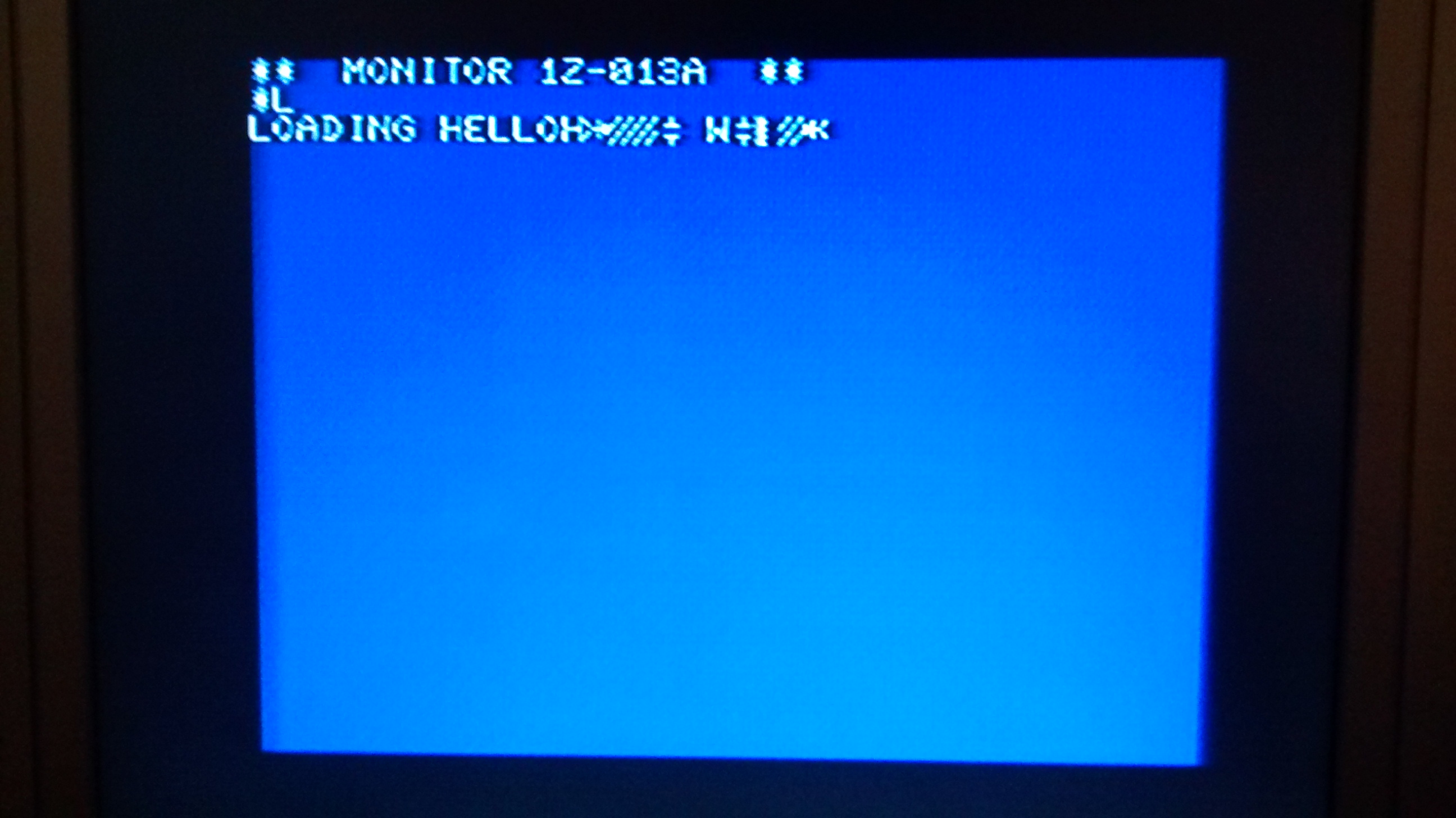
IMG_20150614_200225282A bit odd but wait a minute and look again. I said “Hello World\n” but forgot that the MZ-700 doesn’t have lower case. Let’s try again but upper case only and with a leading “\n”.

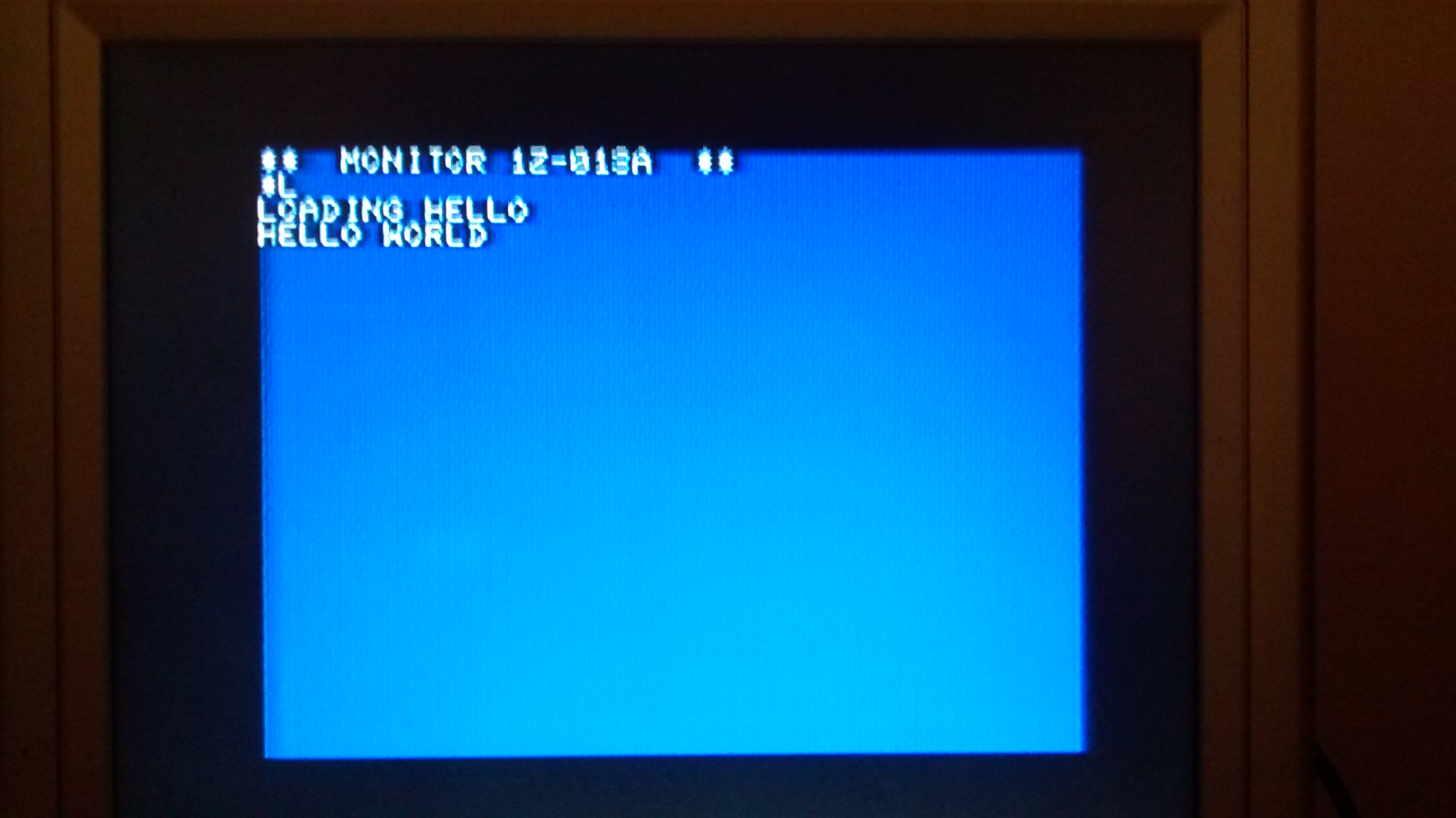
IMG_20150614_204250990Tadaaa!. My stall is set up. Roll on July!

Starlet part 2

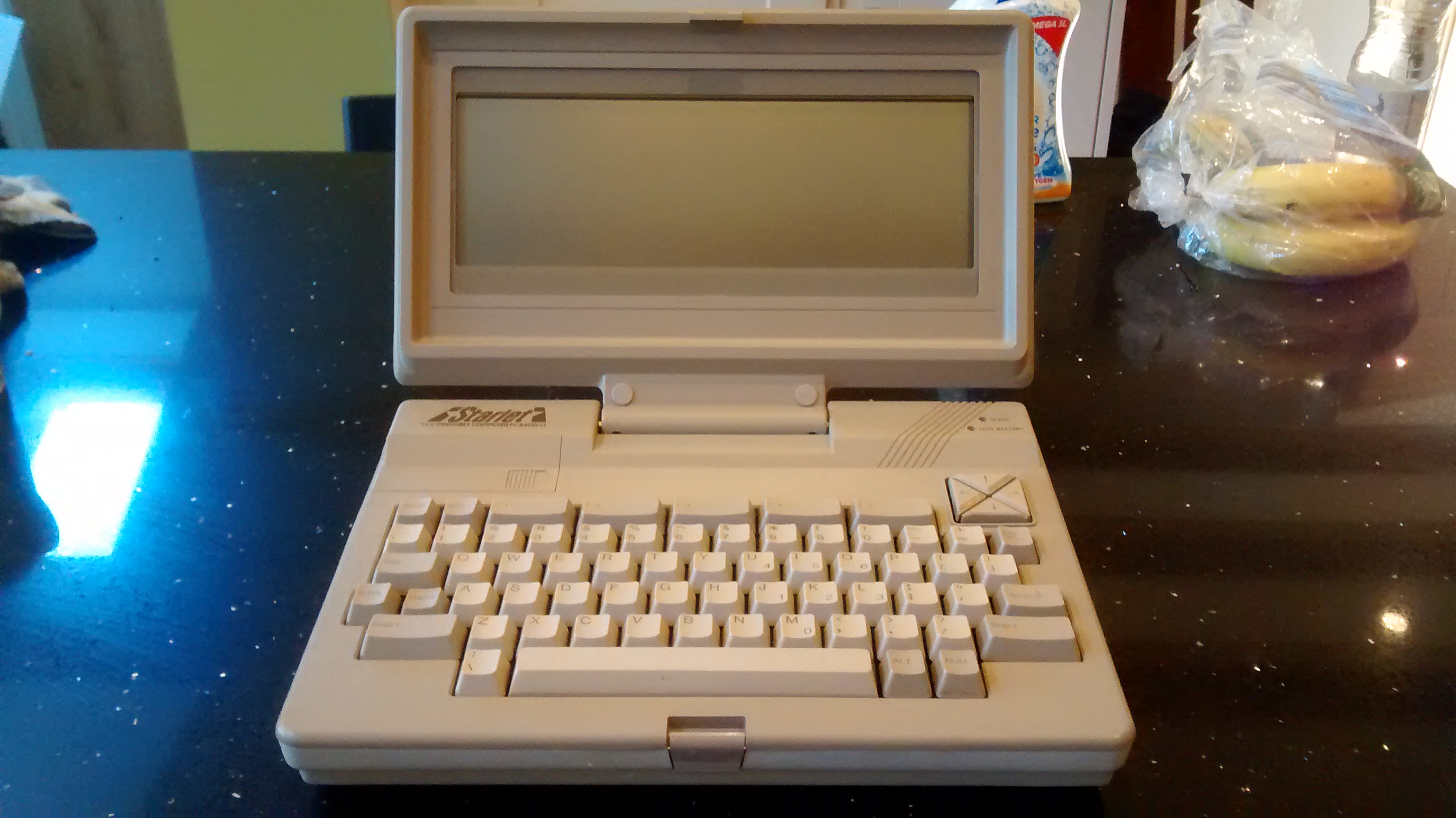
IMG_20150421_175215684In part 1 I talked about the NEC Starlet. Now, a bit more.

Software.

The  Starlet  comes with a number of programs that run from  ROM.  MicrPro’s Wordstar and CalcStar are included in their mobile, “To  Go”  forms.  WordStar was the de-facto word processor back in  the  day and so it’s inclusion here is logical.  In addition, there is a terminal emulator and personal filer.

Telecom.

The terminal emulator is worth a special mention. It emulates the  DEC  VT-100 terminal.  This is one of the most popular  terminals  and being emulate one allows the Starlet to communicate with most  available systems of the time.  In addition to emulation, Telecom  offers  file  transfers both as plain text or with  modem7/xmodem  protocol.  There  is even a switch on the file that allows it  to  convert WordStar files on the fly as they are being  transferred.  This must have been quite a boon at the time.

Add-ons.

The  Starlet had a variety of add-ons available there was a  3.5″  floppy  disk drive,  a CRT/disk adapter,  a 32K RAM cartridge.  I  don’t have any of these so can’t really comment but they look  to  be well thought out.

NEC Starlet

NEC Starlet.

IMG_20150421_175215684The NEC PC-8401A-LS also known as the Starlet is an interesting
little machine. I don’t remember this from way back in the mid 1980s when it was released but I suppose laptops were not too common as far as I was concerned and so I might have missed it.

Specifications.

The 8401 features “a Z80 compatible” processor. I believe it is
an NEC V20, 64k RAM, 96k ROM an 80×16 character LCD and a full
travel keyboard with full sized keys.

The processor is a bit intriguing as I thought the NEC V20 was an
8086 compatible processor with an 8080 mode. I’ll need to clarify
that one.

Outside.

IMG_20150421_175040891_HDRThe case is a selection of browns and beige and feels very well
screwed together. It is sturdy and feels like it can stand up to
the rigours of portable life. The screen folds down over the
keyboard when not in use as you would expect. The screen itself
is typical for the period but by the standards of the 2010’s is
sadly lacking contrast and there is no back-light. I understand
that it’s monochrome and that’s fine but the contrast is not
great, it is very prone to reflections and with no back-light,
finding a good position for typing and a good angle for the
screen is critical. We get so used to the good displays we have
nowadays.

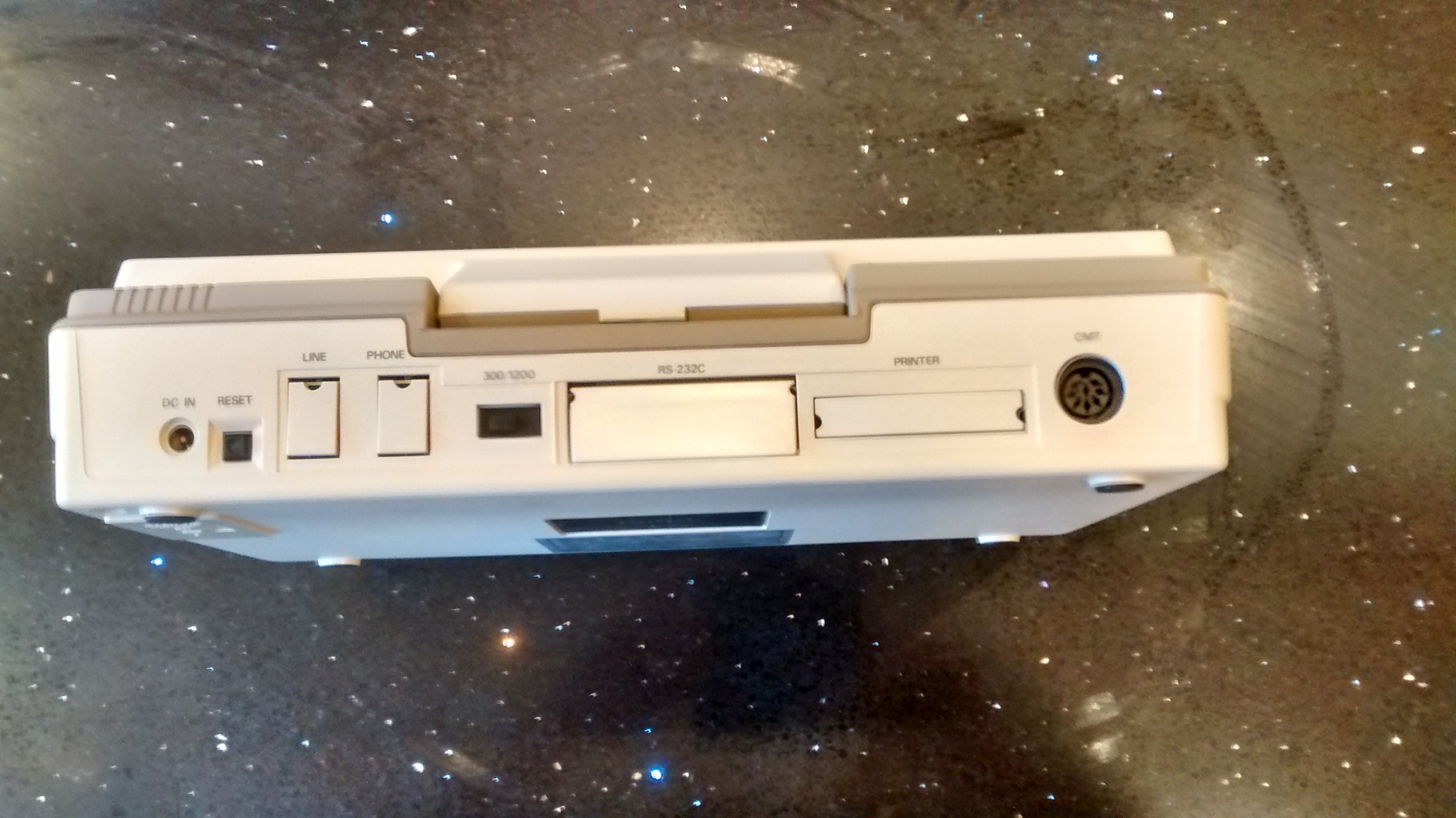
On the right hand side of the case are the on/off switch and a
contrast control. At the rear there is a DC input, a reset
button, and serial, parallel and cassette ports. I am interested
to know how well the cassette works with a C/PM machine. In
addition there is a phone line in and a modem out port and a
300/1200 baud switch. The ports are protected by small plastic
covers that have to be removed to use the ports. These will
easily get lost and I’m sure my machine is unusual in the all are
still present.

The left hand side reveals a spring loaded flap covering the
system slot into which various expansion modules could be
slotted.

Keyboard.

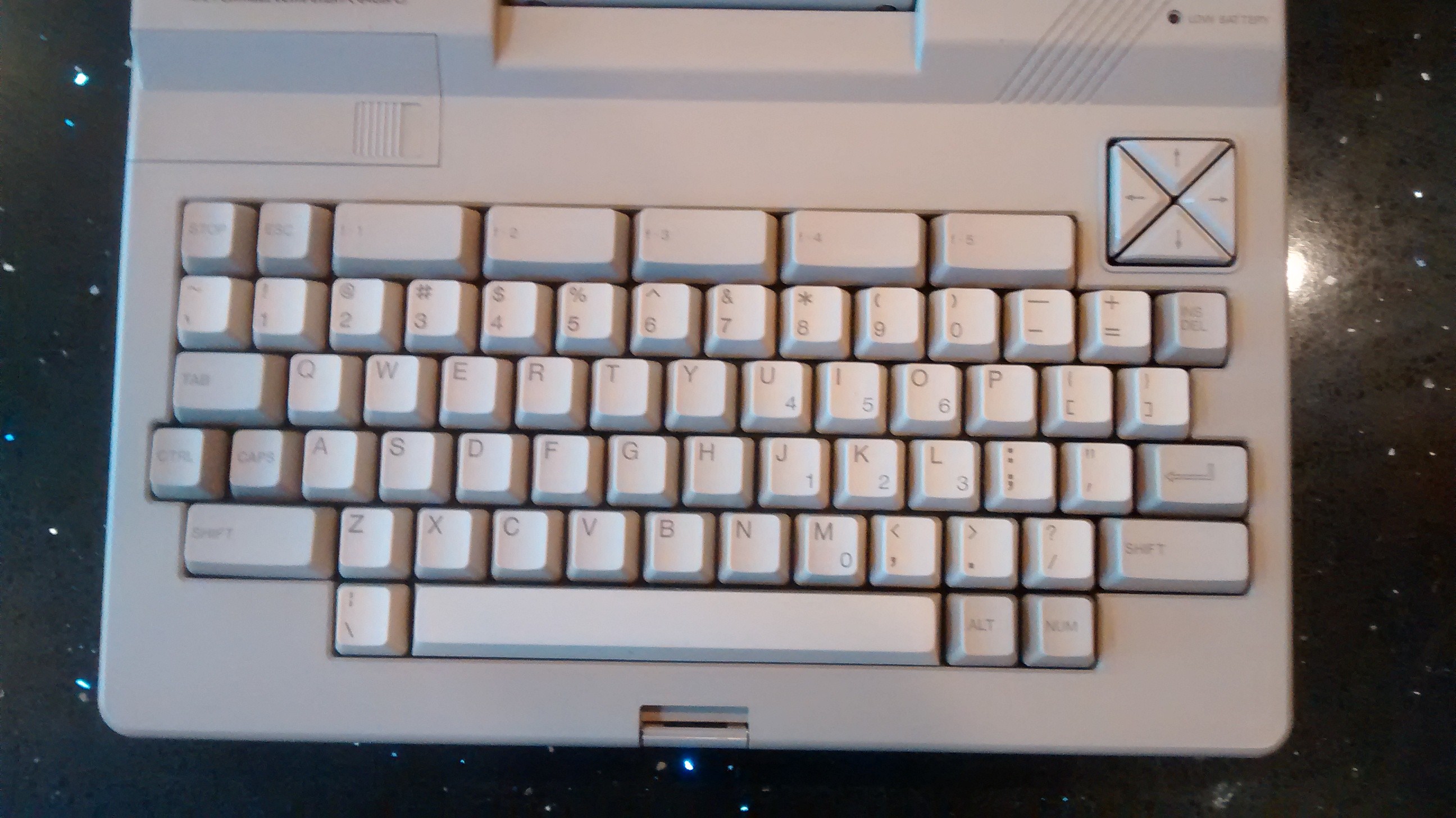
IMG_20150421_175151043As I mentioned above the keyboard has full sized keys with full
travel. It’s a very nice keyboard and pretty typical of the age.
I’m writing this piece on the machine as I try to do with my
portables and it’s one of the nicest keyboards to type on.
However, having just read back my writing so far there have been
a lot of mistakes. I am probably not used to it yet.

The keyboard has the conventional keys as you would expect. In
addition it has five function keys along the top which can be
combined with the shift keys to give ten (obviously). There is
also a “Stop” key. Unusually, the caps lock key locks in each
position. The cursor keys are a group of triangles arranged in a
square are pointing inwards. You will find a locking “NUM” key on
the left hand side of the space bar. Pressing this makes a number
pad out of the U I O J K L and M keys.


That will do for now, I’ll write more in the next post.

Grant Searle’s Multicomp

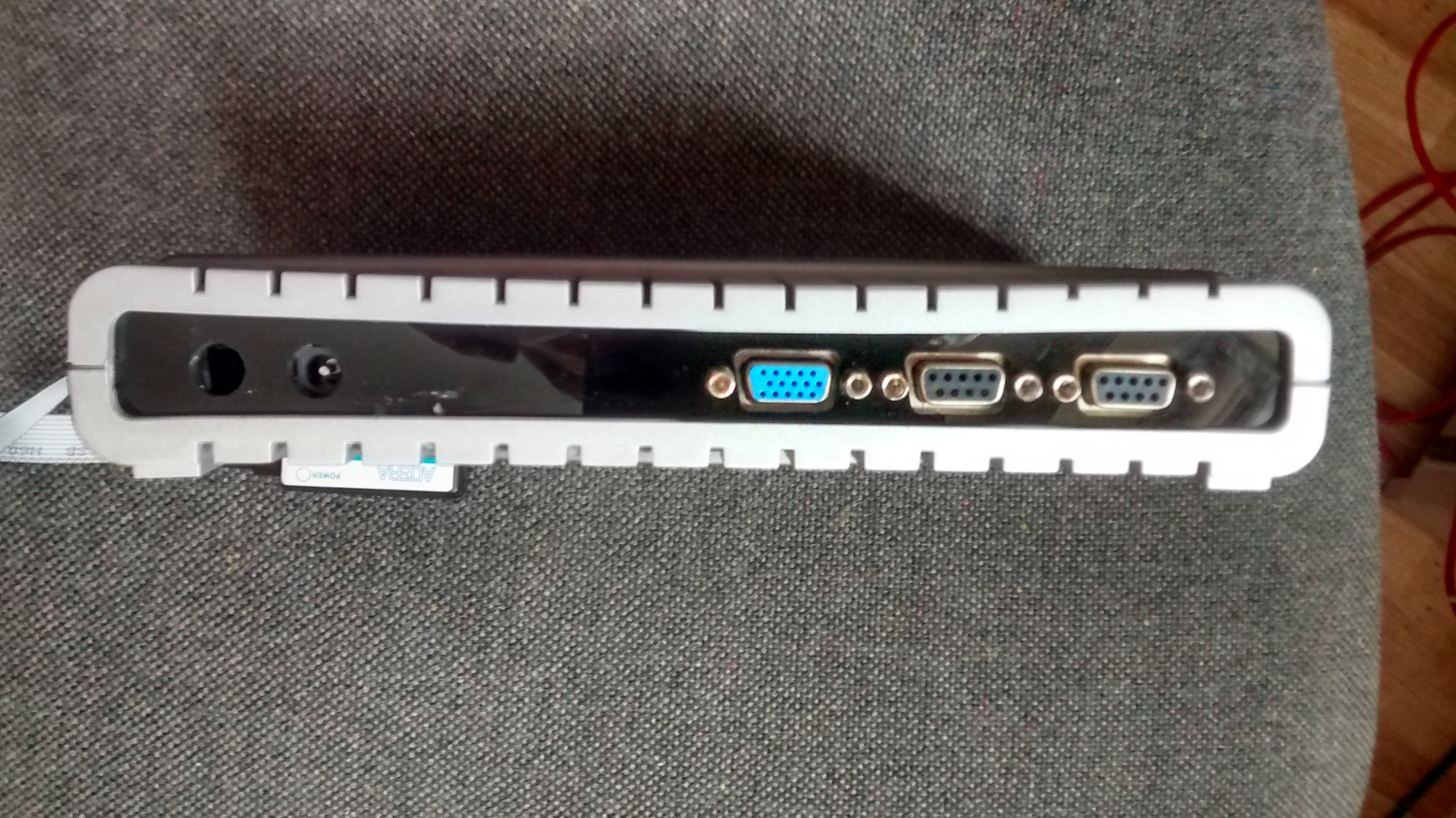
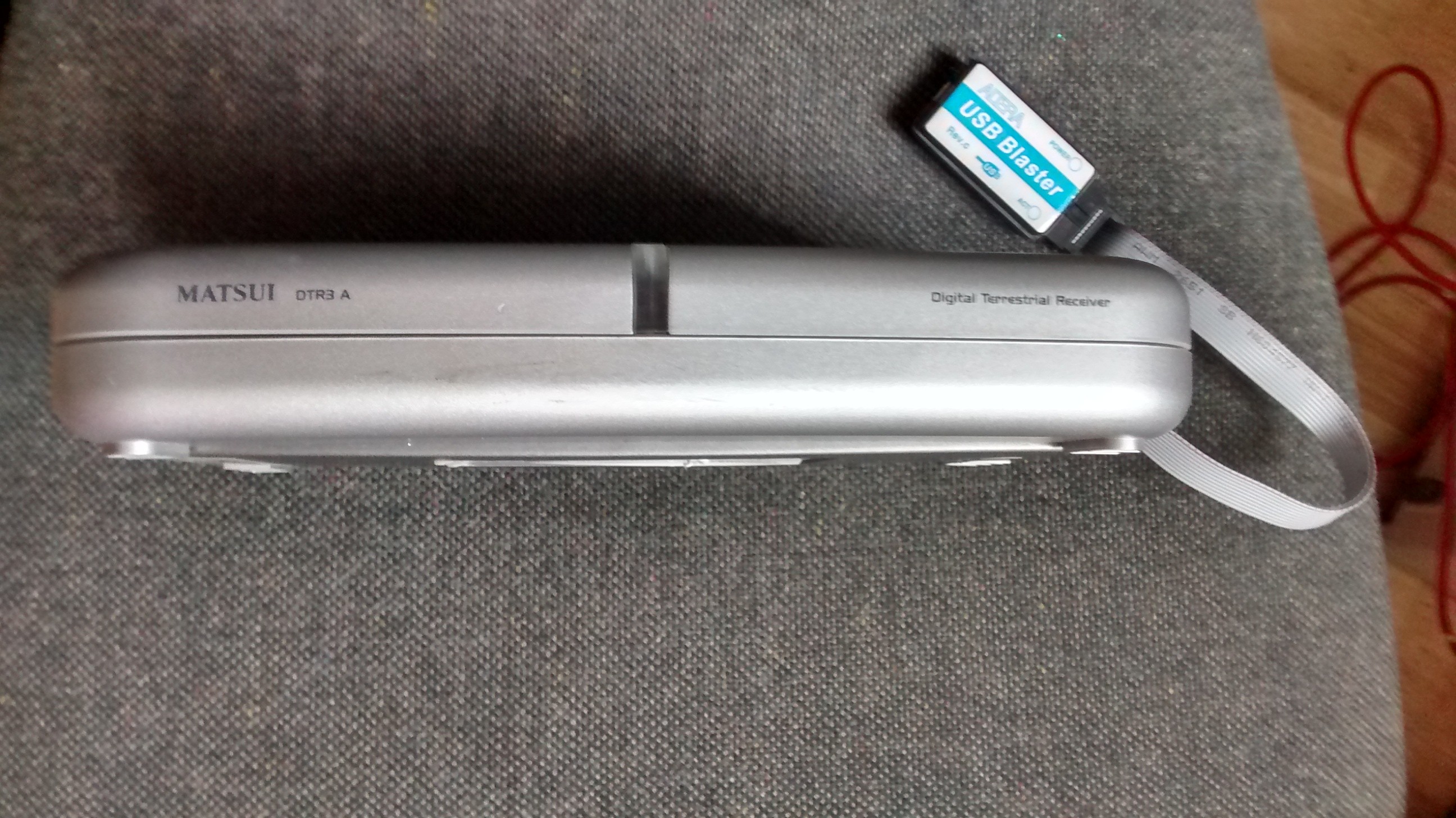
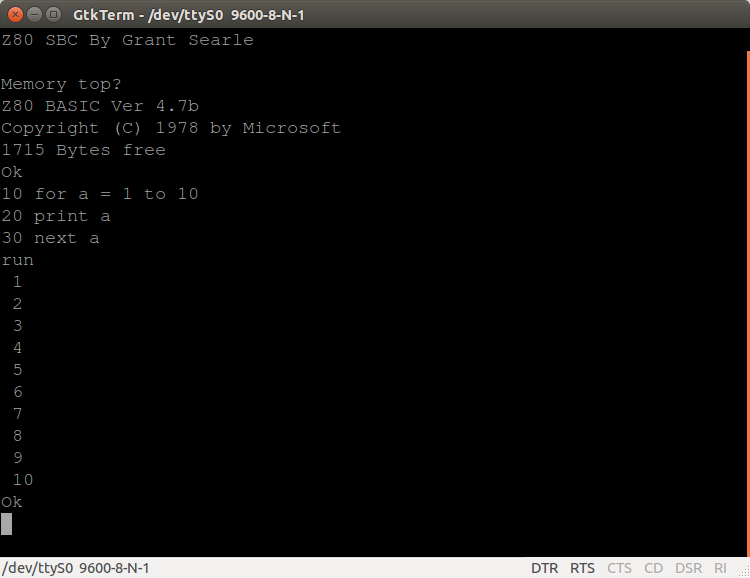
IMG_20150403_144747337I have just screwed the lid down on the machine you see to the right. This is my self built Multicomp.

Grant Searle has been prolific when it comes to modern builds of retro computers. On his web site you will find examples of Z80, 6502 and 6809 based machines. All with schematics and details on how he built them.

His work has inspired other to have a go at building a simple machine with the minimum of parts (The Z80 uses 7 chips).

The only problem you really face is which to build. He has a solution. Build the Multicomp. This machine is based on a cheap FPGA board that uses free tools from Altera to build a machine that emulates any of the above processors and wraps a machine around them.

The word “emulates” is a bit of a grey term here as the machine is implemented in hardware. This is not the same as running a Spectrum emulator on your WinPC. The logic needed to “be” a Z80 is programmed into the FPGA at build time and there it sits, being a Z80. There is no other software “tricking” a Spectrum program into running. The only software there is  running on the bare metal.

IMG_20150403_145227272_HDRMine all mine.

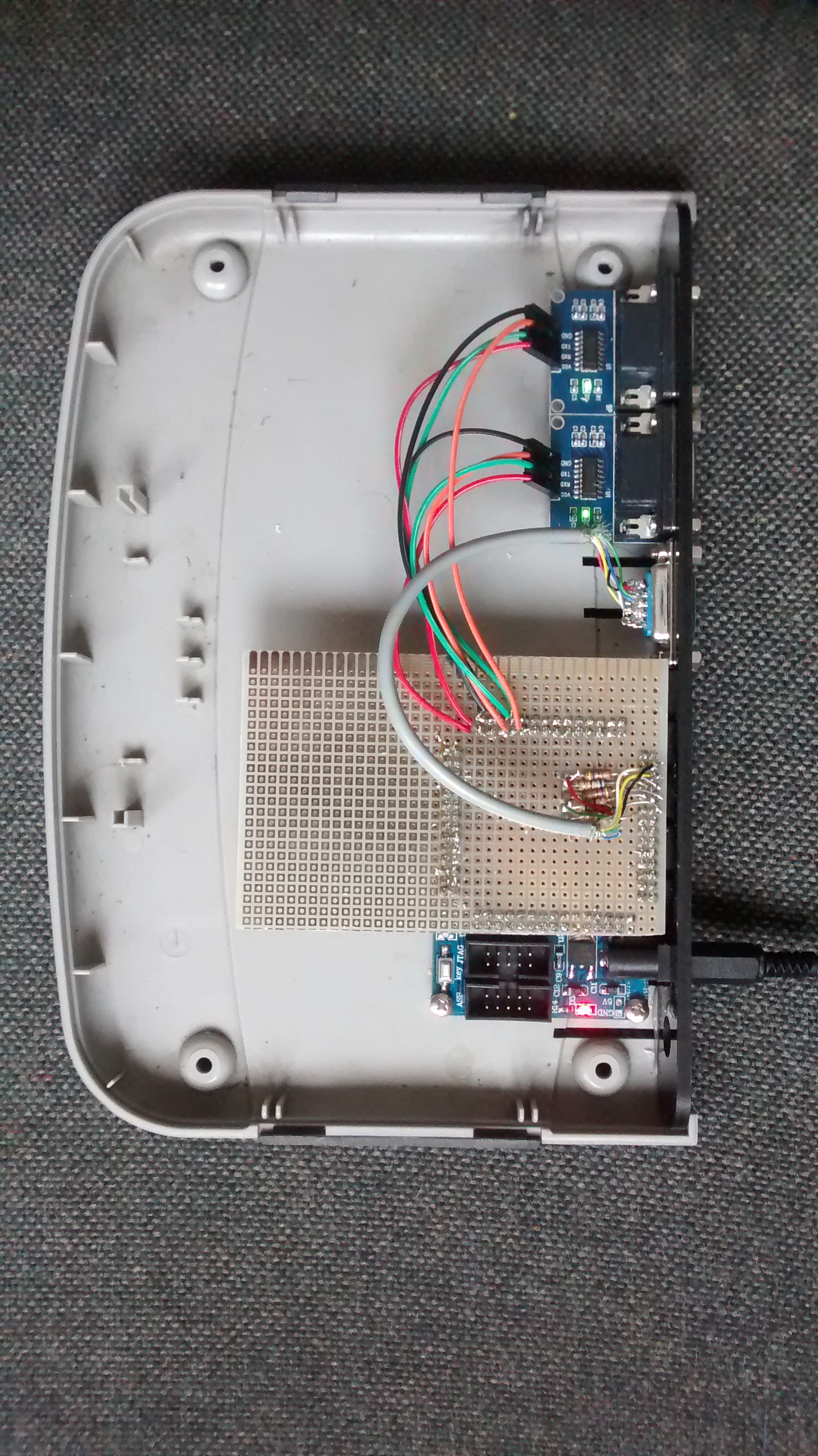
Mine has been built as a Z80 with 2k of RAM (this saves an external chip but upto 64kb can be accessed). I have two serial ports and a VGA port. These can’t all be accessed at the same time but it’s very easy to reprogram it to use whichever of the port you need.

I’ve used a small piece of blob-board to sit on the FPGA boards I/O pins to give me something to work on. The serial outputs of the FPGA are not at RS-232 levels and so I bought two, cheap, level converters built into 9 way D-type sockets.

IMG_20150403_145144622_HDRThe whole thing is packaged into a box previously occupied by a digital TV decoder that went “POP” in a stylish fashion.

Get out there now and build your own. Please.

Screenshot from 2015-04-03 14:54:31

BBC. What next.

I’ve moved the game on a game a little in the last few days.

When I first tried the machine I tried to type in a four line program to output numbers so I could see if the machine was hanging or if the keyboard interface PIA was failing. At first I couldn’t type it in before the machine hung. I determined that this was overheating and found a cause.

Now I can type in the program but when I run it it crashes with changing errors. Sometimes it reports a bogus/ill formed error message. Sometimes it just hangs. If I press “Break” the machine restarts. I then type “OLD” and the program is still there. When I run it I get the same result.

I’m thinking dodgy a RAM chip. About half of the DRAM has been socketed.

Bit by bit.

I have made some progress over the last couple of days.

I looked at the power rails before and after the hang and nothing to report there really. At bit of hum (about 40mv) but it says constant.

I found that IC 69, the 6522 was getting too hot to touch. Cooling it kept the machine running a little longer. I looked at the circuit diagram and IC69 is connected to the outside world via an 8 bit buffer. I pulled the buffer and the temperature went right down. Looking at the buffer, its pins were filthy and so I cleaned them up with a pencil eraser and then some IPA. When I put the chip back in the 6522 stayed cool. Result.

I think the buffer wasn’t getting powered properly because of the dirty pins and so was taking “Phantom” power through it’s I/O lines. I’ve seem something similar before.

Now the machine is running for a few minutes before hanging. Much improved.

My plan now is to work through the rest of the chips making sure that they are not just seated well but also cleaned :-)

BBC. Closing in?

I have asked for clues on the StarDot forums, a valuable source of BBC knowledge.  Within hours some very good ideas were suggested.

So far I have tried cleaning and re-seating the socketed chips and swapping the 6522s but to no avail. I have measured the volages on the supply rails before and after the hanging but they don’t change.

I also tried putting a spot of IPA on the back of the chips to see which was getting hot. The hottest should evaporate the IPA quickest. I couldn’t tell but I thought the machine stayed running for longer because of the cooling effect but I’m not sure.

I’ll keep trying.